
 identityazuretable
Technical Overview
ElCamino.AspNetCore.Identity.AzureTable >= 2.2
High Level Dependencies
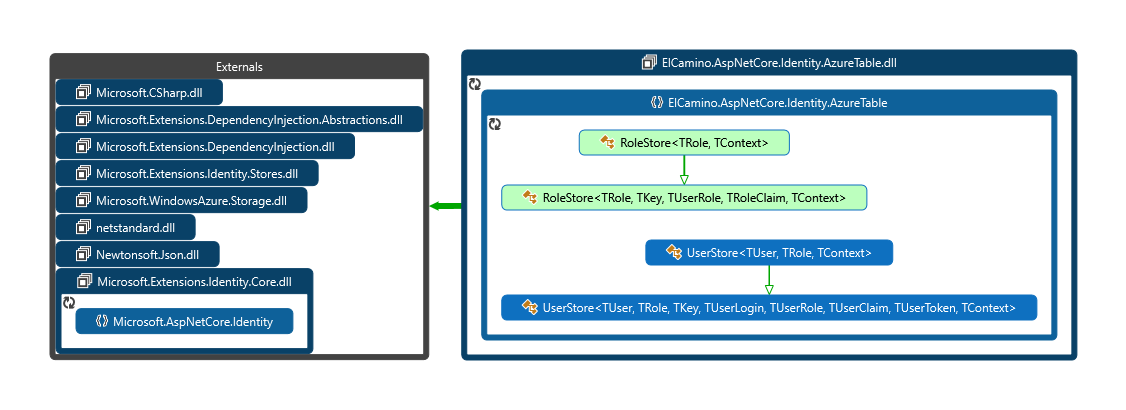
ElCamino.AspNetCore.Identity.AzureTable.dll acts as the data access layer under the Microsoft.AspNetCore.Identity.dll classes UserManager and RoleManager by implementing the necessary interfaces on the UserStore and RoleStore respectively. These classes consume the IdentityCloudContext and the other Identity Model classes described below to persist the user and role information according to the business logic dictated by the respective UserManager and RoleManager classes.
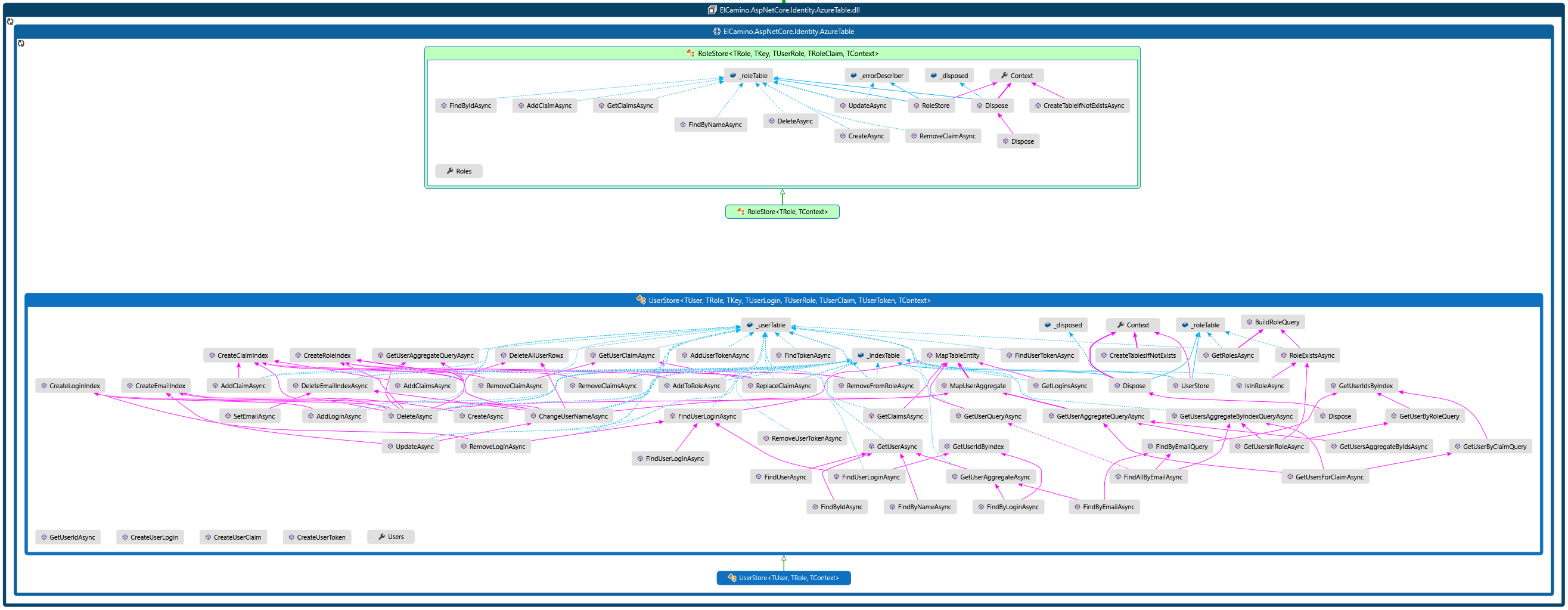
UserStore and RoleStore Classes
IdentityCloudContext and Connections
IdentityCloudContext that enables access to the Azure Table storage service and exposes the tables.
The IdentityCloudContext default constructor will look for the IdentityConfiguration object that contains the table storage connection and other settings. The example is shown storing and loading these settings in a .json configuration file. Add the default local connection string to the Azure Storage Emulator or to an Azure Table Storage account. TablePrefix can be left blank, any text here will prefix the Azure table storage names of AspNetUser, AspNetRoles, and AspNetIndex. StorageConnectionString is the Azure table storage connection string. LocationMode can be left empty (defaults to PrimaryOnly). Other storage location modes are listed here and must be used with a RA-GRS storage account if changed from the default. *TableName values can be null or left empty and default values are shown in the example below.
{
...
    "IdentityAzureTable": {
        "IdentityConfiguration": {
            "TablePrefix": "mvc6"
            "StorageConnectionString": "UseDevelopmentStorage=true;"
            "IndexTableName": "AspNetIndex"
            "RoleTableName": "AspNetRoles"
            "UserTableName": "AspNetUsers"
        }
    }...
}
Identity Model to Azure Table Relationships
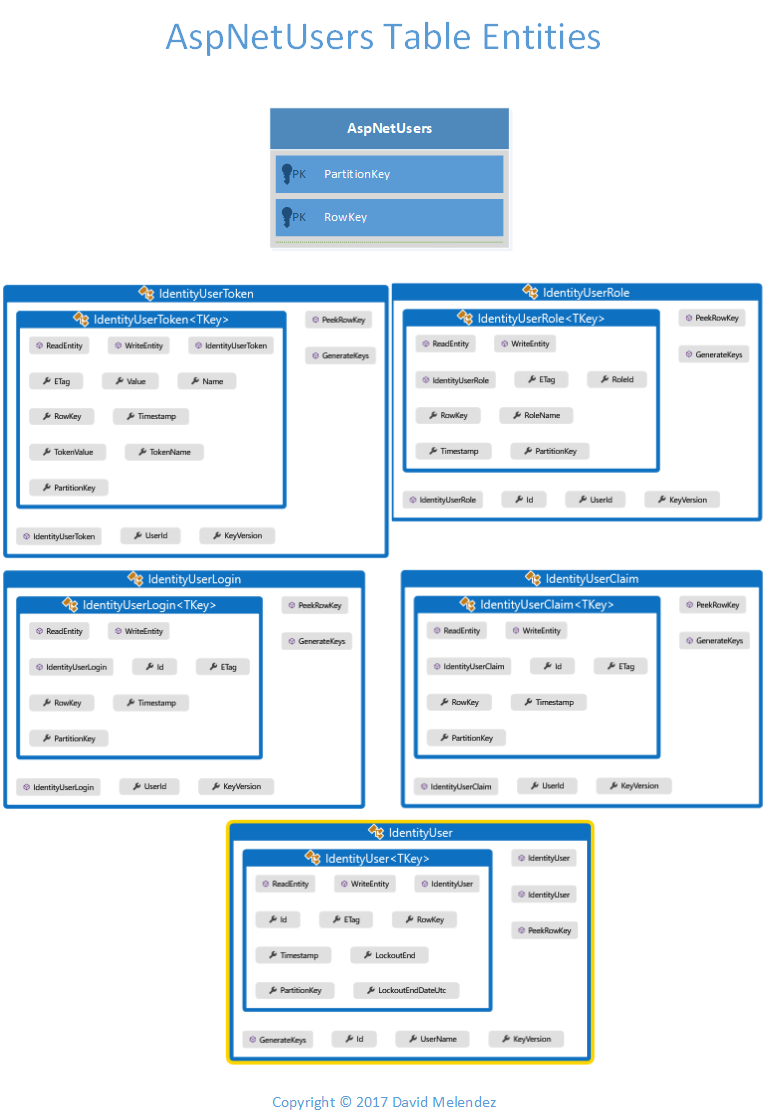
AspNetUsers
| Identity Model | PartitionKey | RowKey | Cardinality |
|---|---|---|---|
| IdentityUser | Hashed(UserId) | Hashed(UserId) | 1 UserId : 1 IdentityUser, UserId uniquely identifies IdentityUser. |
| IdentityUserClaim | Hashed(UserId) | Hashed(ClaimType, ClaimValue) | 1 IdentityUser : 0,Many IdentityUserClaim(s) |
| IdentityUserLogin | Hashed(UserId) | Hashed(LoginProvider, ProviderKey) | 1 IdentityUser : 0,Many IdentityUserLogin(s) |
| IdentityUserRole | Hashed(UserId) | Hashed(RoleName) | 1 IdentityUser : 0,Many IdentityUserRole(s) |
| IdentityUserToken | Hashed(UserId) | Hashed(LoginProvider, Name) | 1 IdentityUser : 0,Many IdentityUserToken(s) |
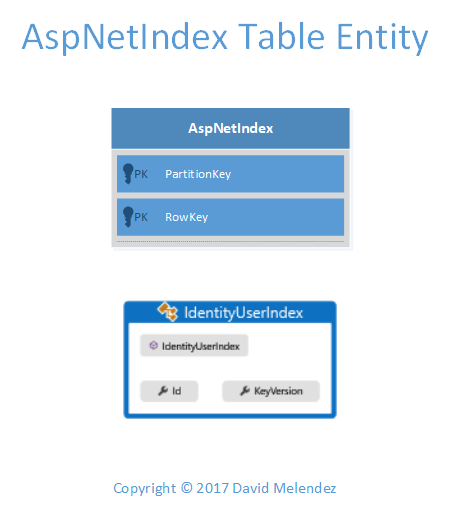
AspNetIndex
| Identity Model | Type | PartitionKey | RowKey | Id | Cardinality |
|---|---|---|---|---|---|
| IdentityUserIndex | UserName Index | Hashed(UserName) | Hashed(UserId) | Hashed(UserId) | 1 UserName : 1 IdentityUser |
| IdentityUserIndex | User Email Index | Hashed(User Email) | Hashed(UserId) | Hashed(UserId) | 1 Email : 1,Many IdentityUser(s) (unless the UserManager is set to enforce unique email addresses per user, then 1 Email : 1 IdentityUser) |
| IdentityUserIndex | User Login Index | Hashed(LoginProvider, ProviderKey) | Hashed(LoginProvider, ProviderKey) | Hashed(UserId) | 1 IdentityUserLogin : 1 IdentityUser |
| IdentityUserIndex | User Claim Index | Hashed(ClaimType, ClaimValue) | Hashed(UserId) | Hashed(UserId) | 1 IdentityUserClaim : 1,Many IdentityUser(s). Used to lookup users by claim. |
| IdentityUserIndex | User Role Index | Hashed(RoleName) | Hashed(UserId) | Hashed(UserId) | 1 IdentityUserRole : 1,Many IdentityUser(s). Used to lookup users by role. |
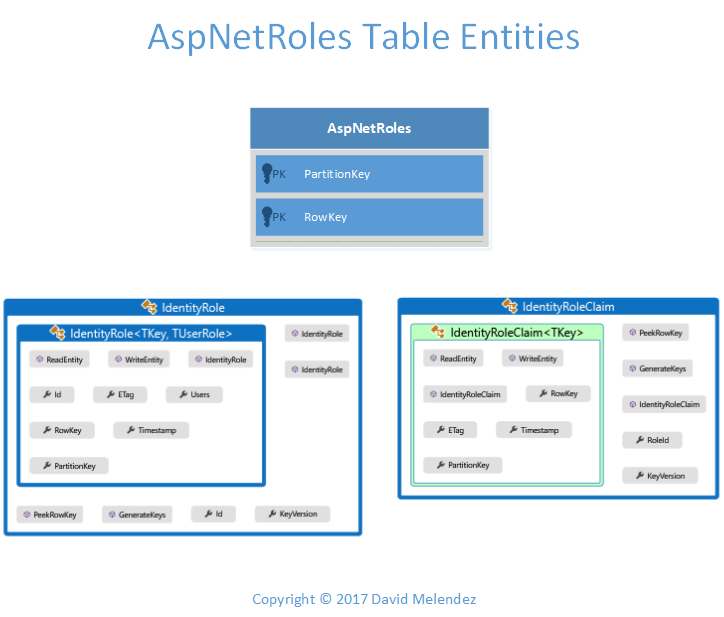
AspNetRoles
| Identity Model | PartitionKey | RowKey |
|---|---|---|
| IdentityRole | Hashed(First Char of RoleName) | Hashed(RoleName) |
The properties of the respective identity model class are stored as a field in the table unless marked with the ignore attribute. Inheriting and extending these classes one can add fields whenever your extended class is saved. Also, the Hashed() psydo-code is a SHA1 hash of the input found in the HashKeyHelper class. The Hashed() algorithm was introduced to overcome the size limitation of the rowkey for claim values and overall is a better algorithm for setting deterministic key sizes.
Performance
The AspNetUsers table is designed to keep all of the user's data in a single table and in a table partition for each user. This results in a single query using the user's id (partition key) to get all of the data in a single query when the user's id is known. The user's id is an 'Hashed' version of the UserId guid. When the user id is not known, the AspNetIndex table is queried first either by user's email UserStore.FindByEmailAsync(), user's username UserStore.FindByUserNameAsync() or external login information UserStore.FindAsync() to get the user's id to then query by user id for the complete user information. The AspNextIndex is always queried by partition and rowkey making that query extremely fast. See above for the details of the AspNetIndex partition and rowkey strategy. In addition, Roles and Claims mapping to users are also indexed for use by GetUsersInRoleAsync() and GetUsersForClaimAsync(), respectively.
AspNetRoles table also uses a composite of the RoleName for the partition and row keys making it possible query the table by its primary key optimizing performance.
Testing
A full suite of integration tests against this assembly ElCamino.AspNetCore.Identity.AzureTable.Tests.csproj
Release Management
- Full suite of integration tests against this assembly at 100% pass rate against the Azure Local Emulator and against a live Azure Storage account. 100% pass rate is required before release.
- Releases available on NuGet..
